
- Hold the bypass switch while plugging in the expression pedal.
- Rock the expression pedal heel down, then toe down.
- Hold the bypass siwtch until the LED blinks green.
M-Audio EX-P mod
For the Particle V1, Bitmap V1, and Raster V1, to get the full range you will need to modify the EX-P.
There is a 1 kΩ resistor in the EX-P, on the PCB near the main potentiometer. That resistor needs to be shorted to get the full range on our pedals from 2017 and earlier. You can solder a wire across it, or install a switch that shorts it out if you want to be able to switch modes.
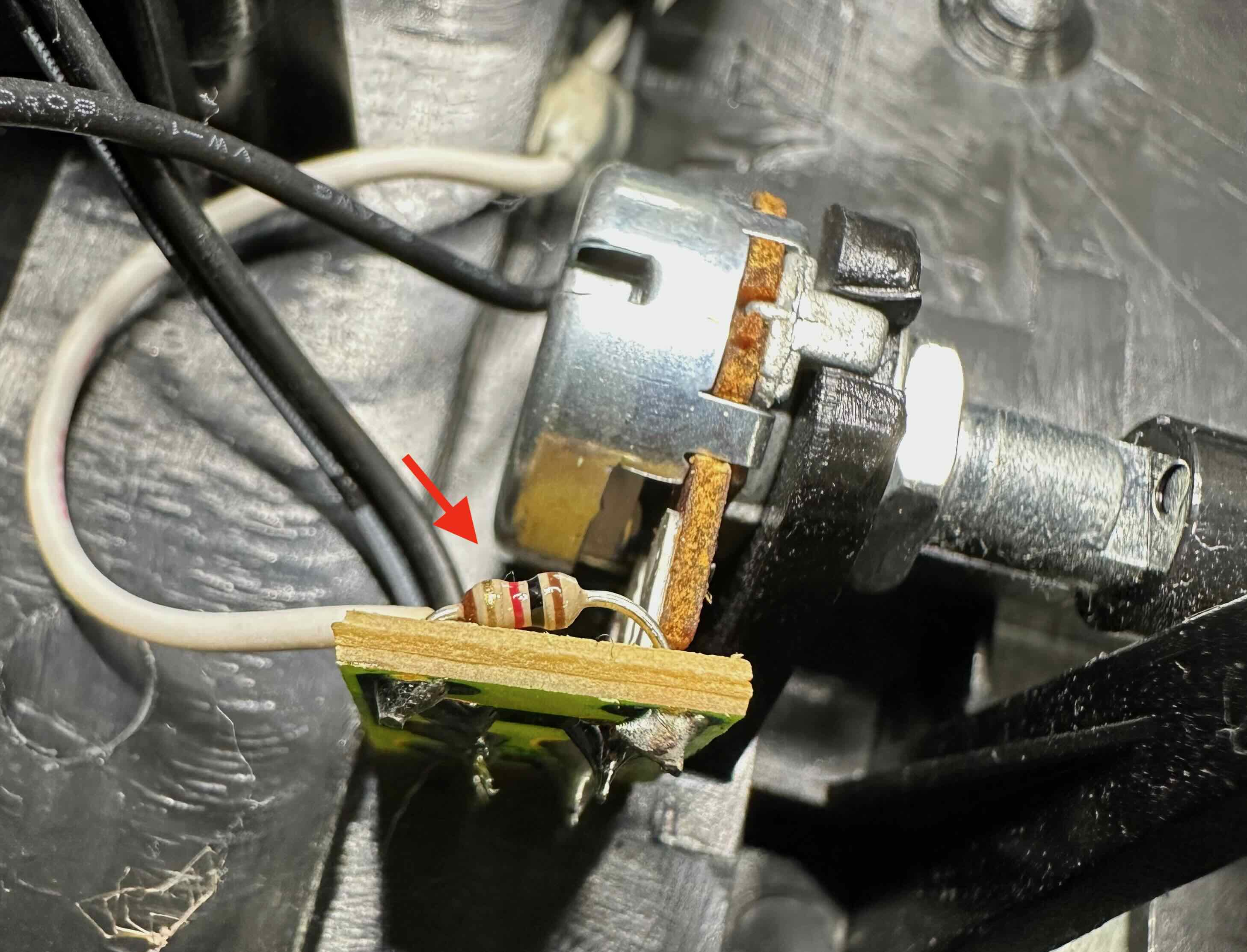
location of 1 kΩ resistor
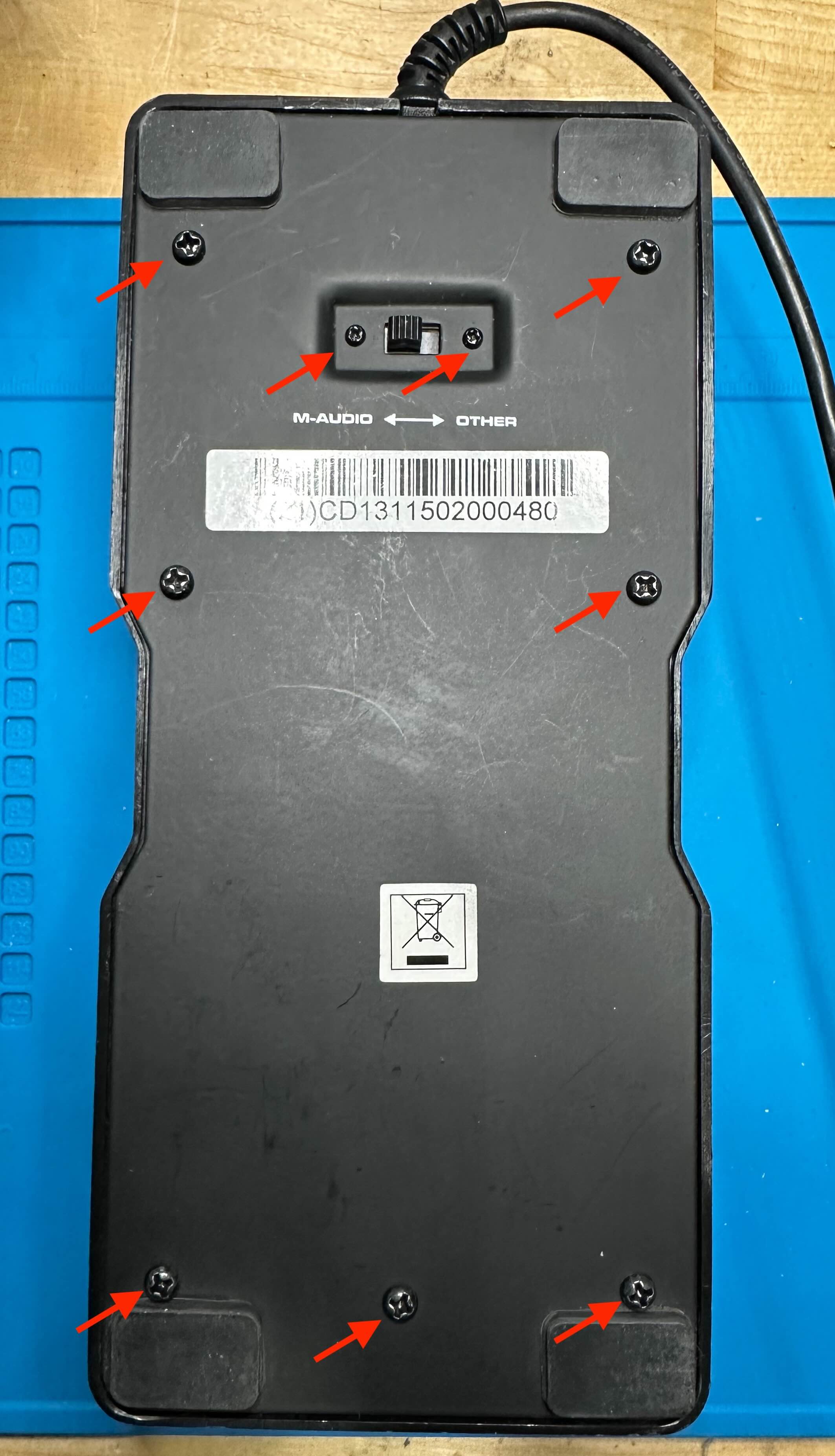
First, remove all 9 screws from the bottom of the EX-P.
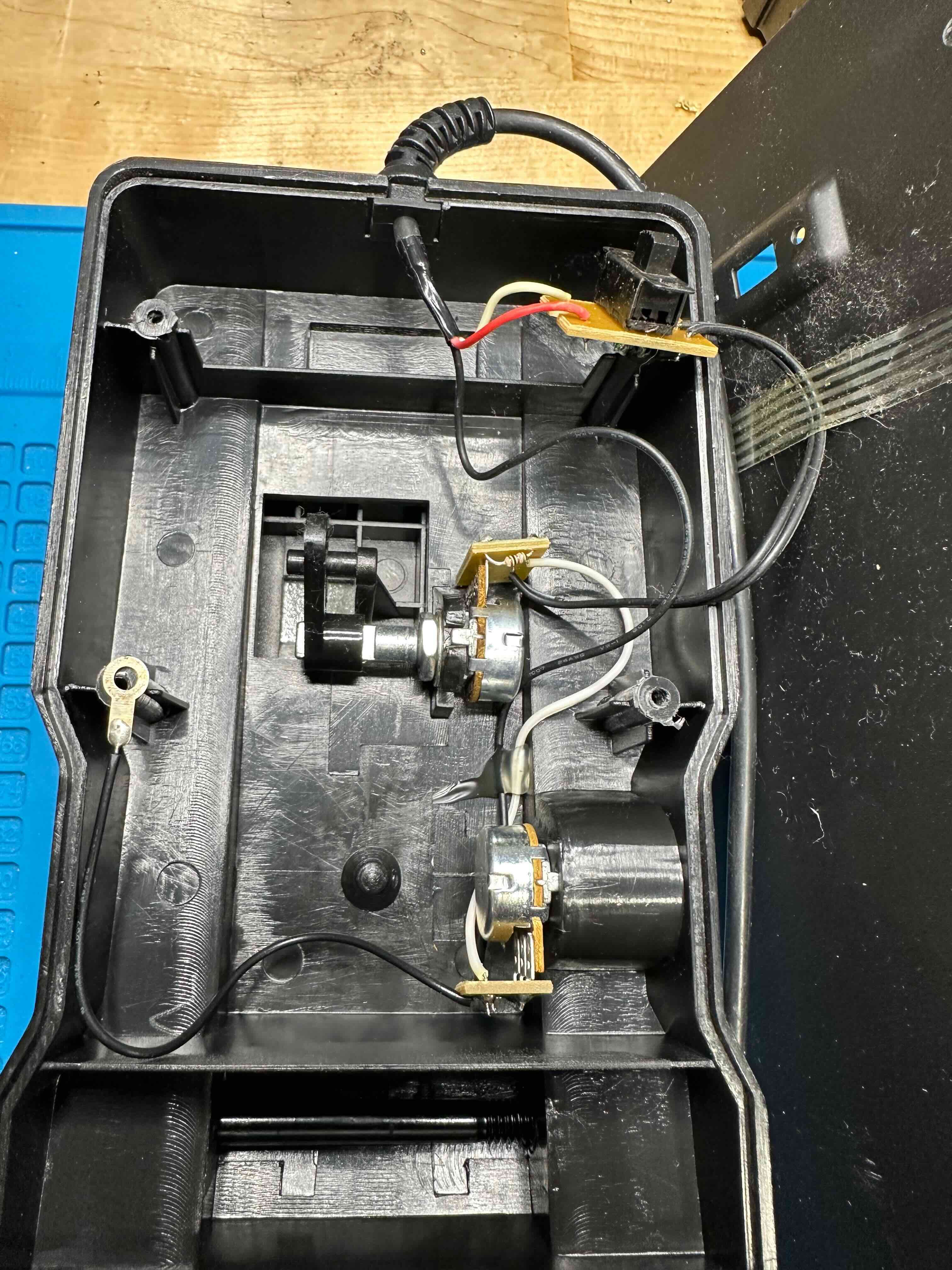
Carefully remove the bottom plate. The slide switch wire is attached to the bottom plate with a piece of tape. You can remove the tape if you need more space to work, or just set the plate on its side.
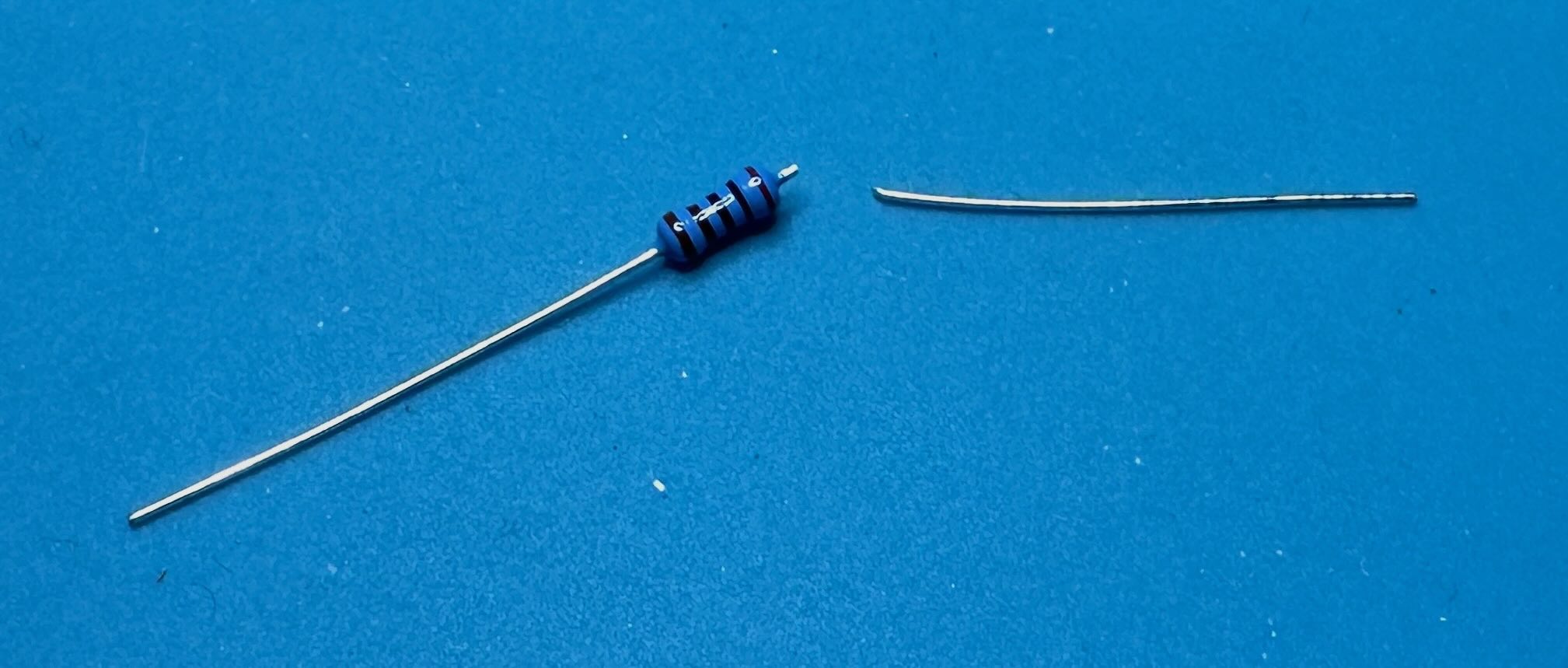
Get a short piece of wire, or cut the lead off a resistor to use as a jumper.
If you want to be able to restore the original functionality later, use the wire to short out the resistor. Later you can cut the wire to put the EX-P back to factory condition.

option 1: short out resistor using jumper (reversible)
Alternatively, you can desolder and remove the resistor and replace it with a wire.
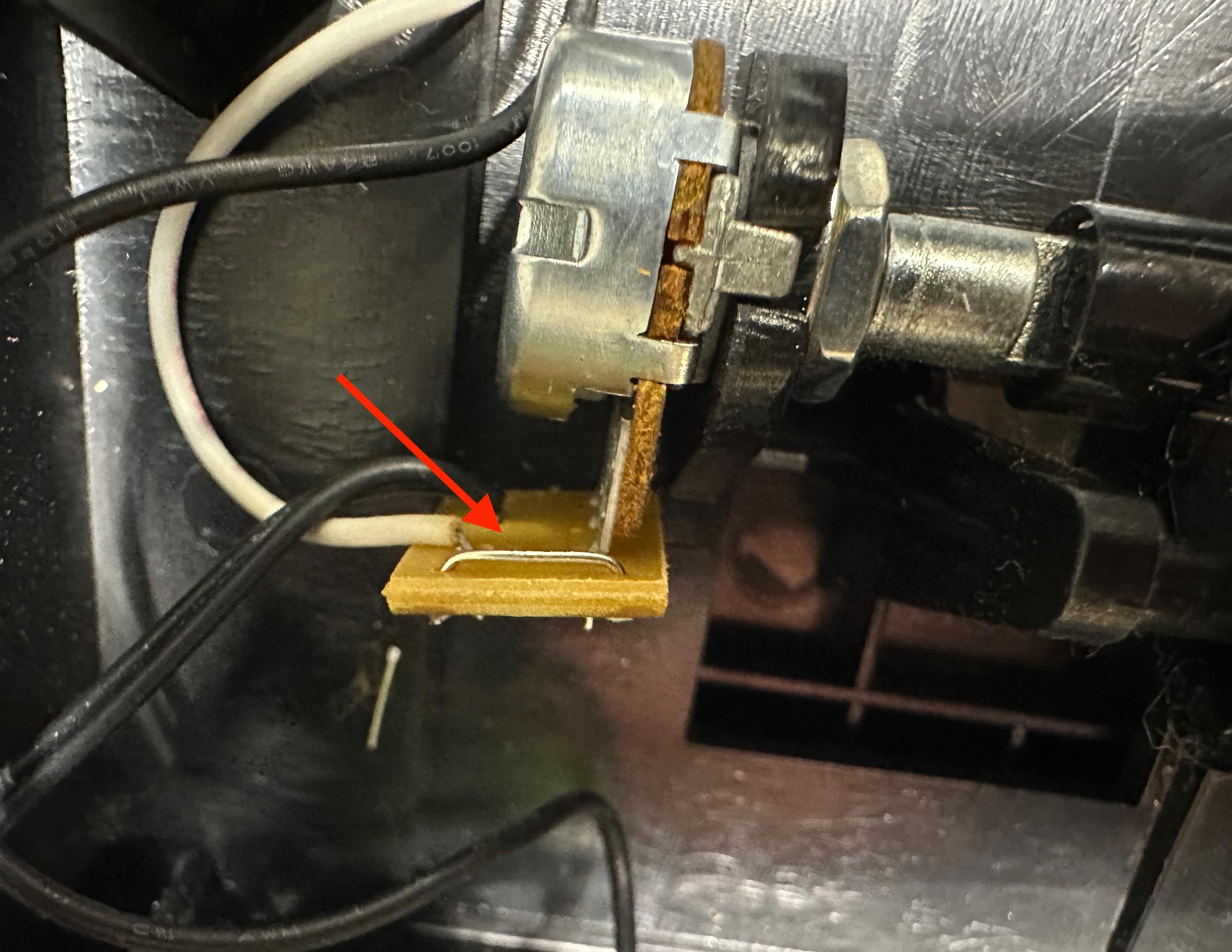
option 2: jumper in place of resistor
Reinstall the slide switch screws (smaller). Then replace the bottom cover and install the 7 remaining screws. Make sure one of the screws goes through the ground lug.
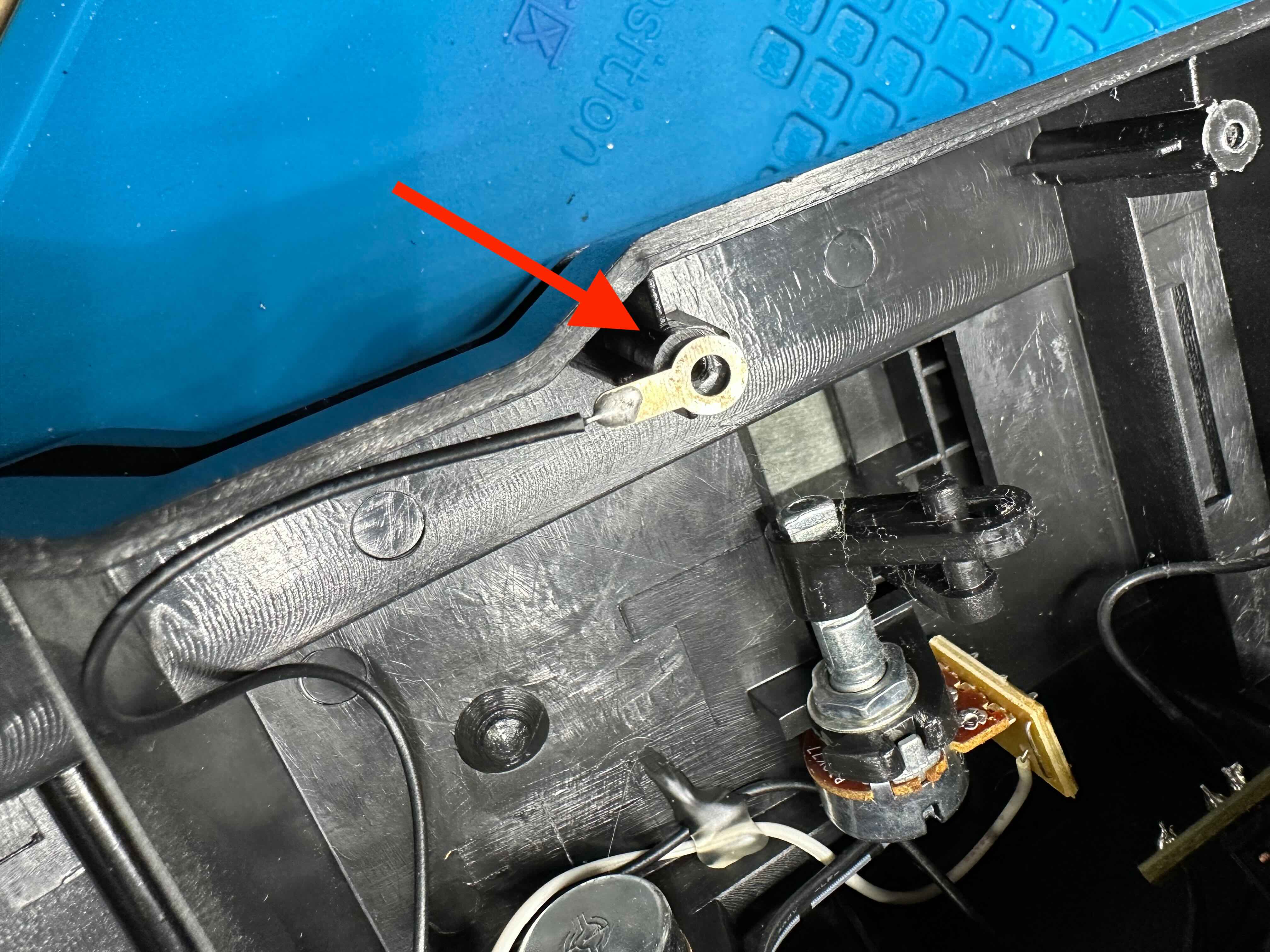 ground lug
Set the trim control fully counter clock-wise